It's Saturday night, and you are waiting for Match of the Day to come on the BBC... Normally, you just want to find out how your team did, and how you rivals fared... When you get involved with fantasy Football, almost every game may have an impact on your weekend...
I started playing Fantasy Premier League last season, and got the app for my 'phone so that I could get updates on the go. I loved it so much, I got work colleagues involved and almost the whole office is playing it now. To be fair it works much better on a PC, some of the features don't work very well at all on a phone, but you can at least get your weekly score and see how each player performed.
All in all, the app is not a replacement for the online PC version, but when you get hooked, having the information at your finger-tips is a nice feature. So the game play follows the Premier League, you get to choose a squad of 13 outfield players and 2 goal keepers, and you get points for their performance on match day (league appearances only). You get to sell and buy one player per week, players that are injured in reality, don't earn you any points - you put three of your squad on the bench, and they 'play' if one of your team does not play for any reason. The players get points for clean-sheets, goals and assists, they get docked points for yellow and red cards, they get a point for playing, 2 for the full 90 mins. This will test your mettle as a manager and may leave you as frustrated as Arsene Wenger on a bad day... I love it!
Showing posts with label apps. Show all posts
Sunday, 2 February 2014
Saturday, 21 December 2013
Google Cloud Print
The way we are using computers is changing with the advent of the tablet, and finding ways of using a tablet for previously PC-based tasks will ensure that the PC will soon become a thing of the past.
Right now, we are having a torrid time with the two PC's I have at home, but now we are replete with Android phones, I have being looking at ways to get more use out of the Android devices. Luckily I also have a laptop to fall back on, and the laptop is fulfilling all the PC tasks at the moment as the PC's are really on their last legs.
So, the latest task I have been soring out is printing from the Android device... and happily discovered Google Cloud Print. However you will need a working PC unless you have a wi-fi or cloud-enabled printer to use this service.
How it works:
You register your printer using your Google account on your PC/laptop (Google Chrome settings/ Advanced Settings), then download the cloud print app to your device - run it and select the printer and you should be ready to go... The setup prints out a test page for you and from then on when you select 'print' from a document, picture or website on your phone or tablet, you will be able to print on your home printer (you will need the PC to be logged into your Google Account in order for this to work).
One more arrow through the heart of the PC, one step closer to domination by touch-screen devices!
I am now considering upgrading just one of my two home PC's - replacing the second PC with a tablet - and keeping the laptop for emergencies.
Right now, we are having a torrid time with the two PC's I have at home, but now we are replete with Android phones, I have being looking at ways to get more use out of the Android devices. Luckily I also have a laptop to fall back on, and the laptop is fulfilling all the PC tasks at the moment as the PC's are really on their last legs.
So, the latest task I have been soring out is printing from the Android device... and happily discovered Google Cloud Print. However you will need a working PC unless you have a wi-fi or cloud-enabled printer to use this service.
How it works:
You register your printer using your Google account on your PC/laptop (Google Chrome settings/ Advanced Settings), then download the cloud print app to your device - run it and select the printer and you should be ready to go... The setup prints out a test page for you and from then on when you select 'print' from a document, picture or website on your phone or tablet, you will be able to print on your home printer (you will need the PC to be logged into your Google Account in order for this to work).
One more arrow through the heart of the PC, one step closer to domination by touch-screen devices!
I am now considering upgrading just one of my two home PC's - replacing the second PC with a tablet - and keeping the laptop for emergencies.
Tuesday, 10 December 2013
Find My Friends - Android App

As well as providing a phone for my wife this Christmas, we have decided it is probably time for our daughter to have her own phone too - so she will be getting my old Sony Experia with a contract (paid by me...). One of the reasons for getting her a phone is that we can take advantage of this type of Android App so we can work out where she is, and she can work out where we are.
I have been using this app for a while now and found it invaluable for locating family members whilst they are out and about - I have also used it to alert other users that I am nearby - really handy if you planned to meet up with someone.
However the main purpose for me remains to be able to keep track of a child with a mobile device - after Christmas I will get a better idea of how that is going to work, but on the showing so far, this free app is going to be extremely useful...
Saturday, 27 April 2013
Android Apps - World Clock

I got this when I was following international football games and wanted to know when games that were being played in local time would be played in my time zone. Primarily so I would be able to watch them on Peer-to-Peer websites.
The other use I have for this is to be able to check on the accuracy of the time on my android device. It is set to get the time from the network that it is connected to, but many a time I have noticed that the time is inaccurate I'm not sure where this app gets it's timings from, but I have noticed that it can be slightly different to my android settings, so I presume that this app is actually reporting the accurate time.
You can load up several different time zones into this app so that you can keep track of a lot of different countries or cities at any one time. Not a world-beater in terms of clever all-singing all-dancing apps, but nice and simple, and most importantly, does what it says on the tin.
Monday, 15 April 2013
Android Apps - Clean Master

I just downloaded this today, so have not had very much experience with it. I ran it once and it cleaned a small amount (about 65MB) off the 'phone. It also downloaded very quickly, and at 4.5MB has certainly proved a worthwhile download. I find the in-phone application management difficult because you have to dig it out of the settings menu - I have a feeling that this will be easier to use when it comes to clearing the cache for apps that I have used, and for uninstalling apps that I no longer need.
I can't vouch for this as yet, but it occurred to me how invaluable 'Ccleaner' is for my PC, so I figured that I should look for something similar for my 'phone - the 'Clean Master' app (like all the others I use) is free, and has a very high satisfaction rating from users, so I expect that this is one app that I will definitely be keeping and using routinely.
Wednesday, 10 April 2013
Android Apps - Easy Voice Recorder

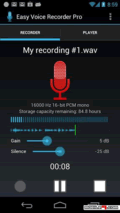
Here's a simple little app that you can use to record conversations or make notes for yourself in a 'dictaphone' style. I downloaded Easy Voice Recorder when I wanted to make some audible notes to serve as a reminder. I was on the road at the time and didn't have a notebook handy..

I find the 'native' note-making facility on my Sony Ericsson Android to be less than intuitive and frankly a bit useless - the text notes you can make are limited in the amount of characters that you can use and are not displayed or retrieved in a logical way at all.
Consequently, I downloaded this little app that will make audio recordings for me to save and play back later. I can select the format and data rate to suit my requirements, but further options are available if you opt for the 'pro' version. However, like all my other apps, I am very happy with the free version - I find it does everything I want, and it didn't cost me a penny...
Monday, 8 April 2013
Android Apps - Lexathon

So far I have posted about some of the really useful free Android apps that I have downloaded, this post is about a game that I am fast becoming addicted to.. To be fair, it doesn't take much for me to get addicted to a game, but this one really challenges my brain.
Lexathon is a bit of a combination of the popular 'Nonagram' that you find in the back pages of newspapers and 'Boggle' the word game - You are given 9 letters, and you must find as many words as possible that have at least four letters and contain the central letter of the puzzle. There is always at least one 9 letter word to find too. In this version of the game, each time you find a word, the duration of the game is extended.Some nice features here are that you can see how many words are possible, and when your time runs out, the game shows you all the words that you could have included. On the downside, a lot of the words appear to be somewhat 'Americanized', but once you know that, you just have to play accordingly.... The range of possible words varies from just a handful to over a hundred, and my personal target is to get at least 50% every time I play (I probably achieve that goal about 90% of the time), and I have actually found all of the words at least once...
Friday, 5 April 2013
Android Apps - Lookout Mobile Security

Here's another of my favourite Android free apps, Lookout Security.
Everyone should understand that security is the first thing you need to install on a computer, not so many are clued up enough to ensure that their 'phone is equally secure.
With today's mobiles being little short of mobile computers, it stands to reason that the same level of security needs to be applied to a 'phone.
I love Lookout security, it scans all the other apps and downloads to ensure that there are no security issues, but that's not all it does... There are two more really neat features that come included even in the free version of Lookout:1. Register your Android device on their website and they can tell you where your device is currently located - not only that, but you can trigger an audible alarm that you can use to locate your phone. You can also use it to amuse yourself and annoy your family friends and possibly your pets..
2. You can also back up your 'phone to the Lookout 'cloud' to ensure you can keep all your contacts and data intact should you lose the device itself.
Even if you don't follow my advice and get the Lookout app, make sure you do get adequate protection for your mobile devices to keep your private data safe.
Wednesday, 3 April 2013
Android Apps - CamerAlert
I love my Android 'phone, and I especially love free Android apps... I'm not really an 'early adopter' because I don't have money to burn, but I am comfortable with new technology, and happy to wait for that technology to become affordable before I plunge in.
My current 'phone is a Sony Ericsson Xperia - it's not a very new model and is not upgradable to the latest version of Android, nonetheless I am really happy with the performance and features. I don't use vast amounts of apps, but I figured I could blog about some of the ones I use regularly as a way of returning the favour of free use of the apps.
CamerAlert is the latest app that I have downloaded, I searched Android Market for 'speed camera', and this app came up at the top of the search results and had 5 out of 5 stars and great reviews. I duly downloaded and tried it out. I already have a Sat-Nav app that came ready-loaded on the 'phone, so I wondered how this would work in conjunction, thankfully it seamlessly works either as a standalone or in the background of the Sat-Nav software. If the Sat-Nav is on, the warnings come up on the Sat-Nav screen and there are audio alerts. The audio alerts can be a bit tedious, so when using as a stand-alone, I prefer to turn the volume right down.
As a stand-alone, there is a map on the screen that follows your route, and there are icons to identify the location of fixed and mobile cameras. If you register for the latest (paid) version., there is a feature for reporting new cameras that aren't identified by the database.

The stand-out feature for me, was that the software identified an 'average speed' monitored section of the motorway - when entering the zone, two speeds appeared on the screen, one being my current speed (which is normally there) and a second one indicating my average speed over the duration of the monitored section. This is a great feature as I have often wondered about how you are supposed to monitor your average speed.
You can get the latest database by paying £19.99, but for my purposes I don't think I would use it often enough to justify the expense. Even as just the free version, this app is very impressive, and if I was doing more driving, I think it would be £20 well spent to upgrade to the full version with the updated database.
Along with the other users who rated this app, it gets a firm 5 stars from me too.
My current 'phone is a Sony Ericsson Xperia - it's not a very new model and is not upgradable to the latest version of Android, nonetheless I am really happy with the performance and features. I don't use vast amounts of apps, but I figured I could blog about some of the ones I use regularly as a way of returning the favour of free use of the apps.
CamerAlert
CamerAlert is the latest app that I have downloaded, I searched Android Market for 'speed camera', and this app came up at the top of the search results and had 5 out of 5 stars and great reviews. I duly downloaded and tried it out. I already have a Sat-Nav app that came ready-loaded on the 'phone, so I wondered how this would work in conjunction, thankfully it seamlessly works either as a standalone or in the background of the Sat-Nav software. If the Sat-Nav is on, the warnings come up on the Sat-Nav screen and there are audio alerts. The audio alerts can be a bit tedious, so when using as a stand-alone, I prefer to turn the volume right down.As a stand-alone, there is a map on the screen that follows your route, and there are icons to identify the location of fixed and mobile cameras. If you register for the latest (paid) version., there is a feature for reporting new cameras that aren't identified by the database.

The stand-out feature for me, was that the software identified an 'average speed' monitored section of the motorway - when entering the zone, two speeds appeared on the screen, one being my current speed (which is normally there) and a second one indicating my average speed over the duration of the monitored section. This is a great feature as I have often wondered about how you are supposed to monitor your average speed.
You can get the latest database by paying £19.99, but for my purposes I don't think I would use it often enough to justify the expense. Even as just the free version, this app is very impressive, and if I was doing more driving, I think it would be £20 well spent to upgrade to the full version with the updated database.
Along with the other users who rated this app, it gets a firm 5 stars from me too.
Subscribe to:
Posts (Atom)